Projects
The Lab
The lab offers an opportunity to test the { kitems } framework.
The package defines itself as a framework because it comes with a flexible mindset & many features:
- it allows different architecture / implementation patterns
- it has flexible create / update / delete workflows
- it comes with a communication strategy
- a concept of filtering layers has been implemented
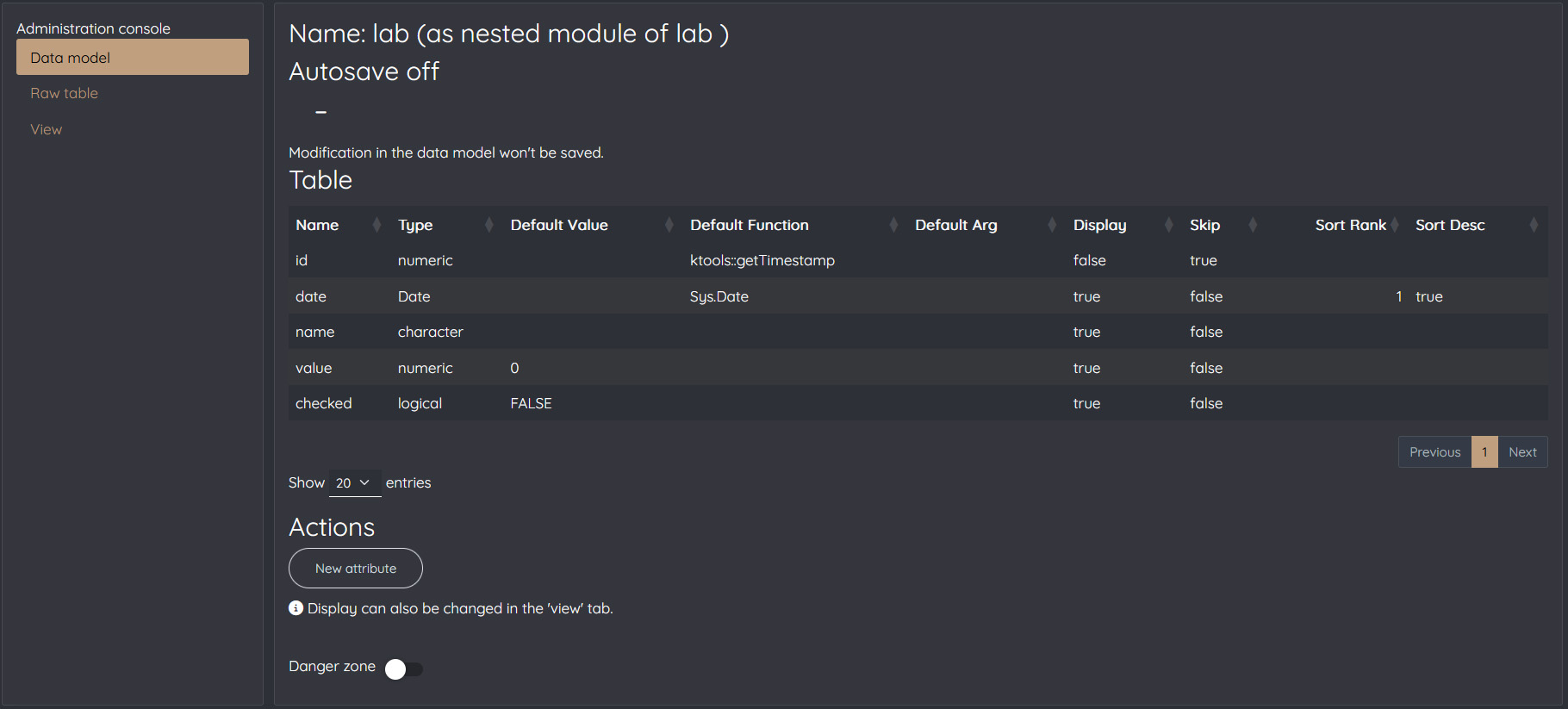
For the sake of the example, a very basic data model is defined in this example with date, name, value and checked attributes.
This was done through the admin console that can't be accessed by users for security reasons (see data model tab).
Visit the package website to get details.
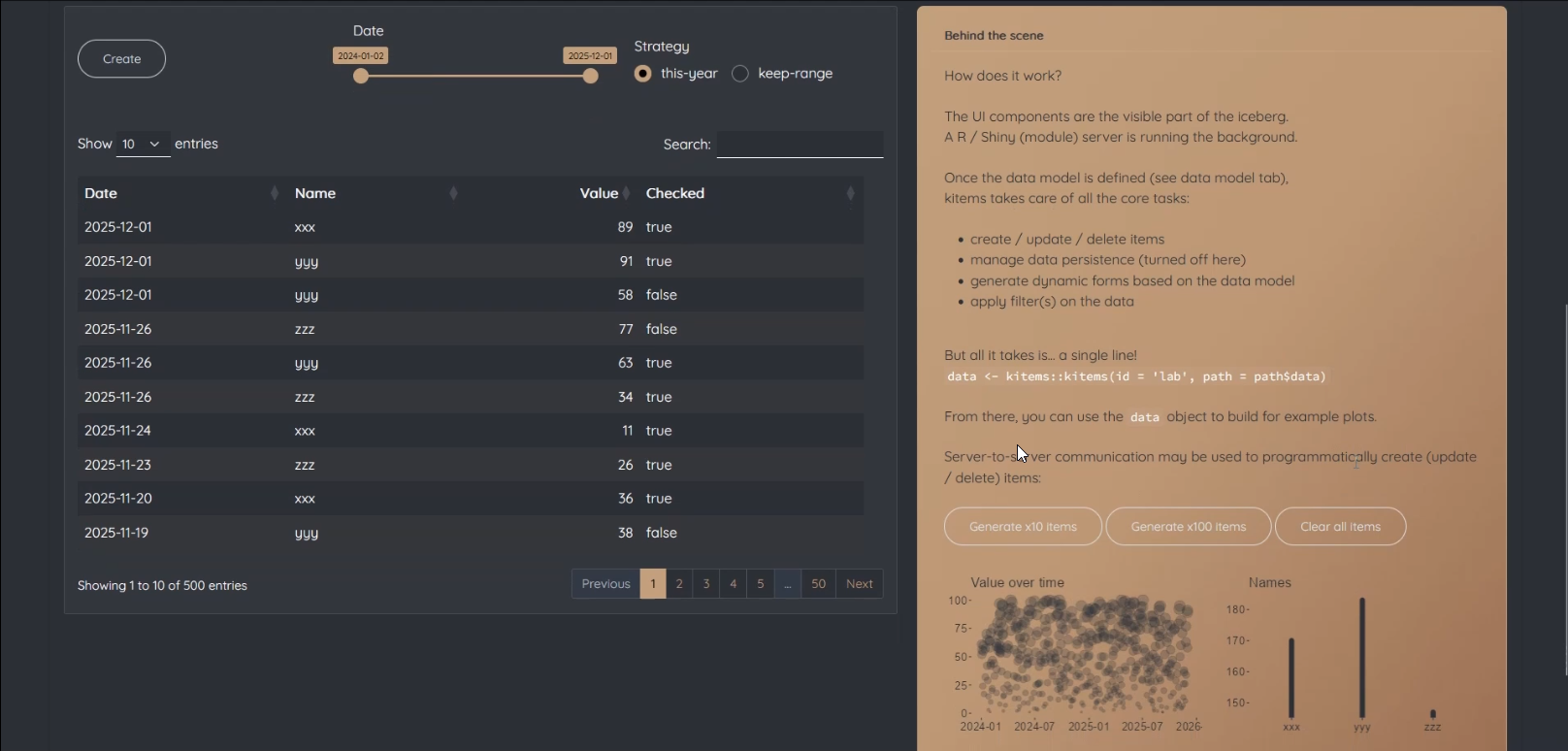
For demonstration purpose, autosave is turned OFF
(data will be lost if you refresh the page)
The item table is empty (all attributes are filtered or there is no item).
How does it work?
The UI components are the visible part of the iceberg.
A R / Shiny (module) server is running in the background.
Once the data model is defined (see data model tab),
kitems takes care of all the core tasks:
- create / update / delete items
- manage data persistence (turned off here)
- generate dynamic forms based on the data model
- apply filter(s) on the data
But all it takes is... a single line!
data <- kitems::kitems(id = 'lab', path = '/some/path')
From there, you can use the
data
object to navigate & use the items.
Server-to-server back-end capabilities may be used to programmatically create (update / delete) items:
In the below example, the
data
object is used to build two basic plots:
The data model documents the definition of an item.
It holds attributes that are defined with:
- a type
- a default value or function (optional)
- whether they are displayed in the item table
- whether they are skipped in the item form
- options if used to order the items
The reason why the admin console is not implemented in this lab is because of the default function mechanism,
which evaluates code defined by the package user (the admin of the app!).
Allowing the app users to do so would lead to a severe security vulnerability (code injection).
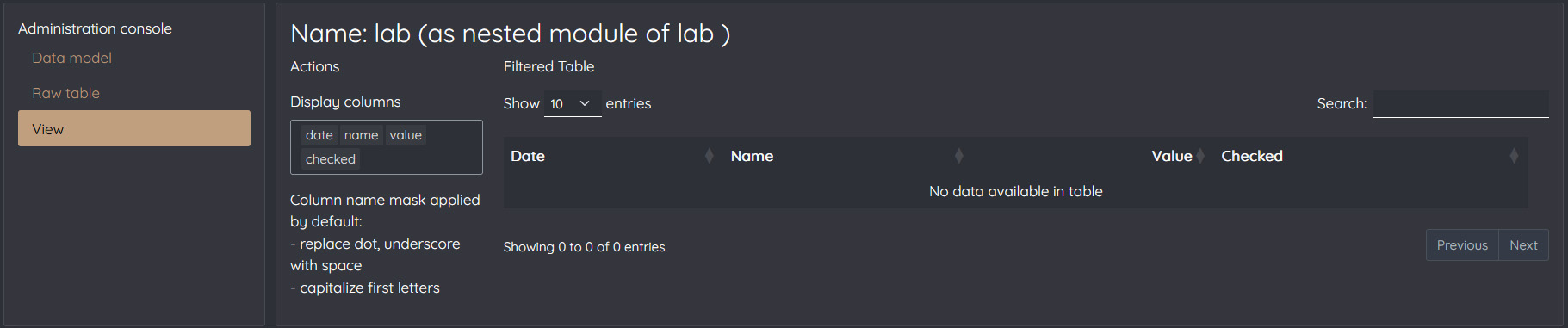
Screenshots of the admin console:

Technical-Functional Data Services
Backed by 25 years of data experience.
Services are organized into three main axes — each of them involves a combination of technical-functional skills.
Functional Services
- Data Project Management
- Architecture (portfolio, apps, data flow)
- Quality Assessment
- Transformation
Technical-functional approach
- Speak same language as both business & technical teams
- Perform technical tasks if/when necessary
- Team management experience
Strong experience in
- Data quality
- Reproducible pipelines (collection, cleaning, transformation)
Mentoring Services
- Coaching & mentoring
- Training development
- Capitalization
- Content creation
References
- OpenClassrooms Data Analyst program (Mentor)
- ShinyConf2025 (Speaker)
- Mastering Communication Between Shiny Modules eBook (Author)
Technical Services
- Data analysis & visualizations
- APIs, dashboards & web applications
- Packages & documentation
The { kitems } package provides a framework to manage data frame items within R / Shiny apps.
Visit the website.
Contacts & Links
Feel free to send me an
email
In case no email application is defined in your brower, right click the link and copy the email address.
Links to other platforms
About me
I am a Senior Data Project Manager with a technical-functional background.
Since 2001, it has always been about data projects and technical-functional roles:
From Data Management, Exchanges & Transformation to Data Analysis & BI.
I enjoy working with complex data pipelines & carefully designed dashboards.
I do photography as a hobby www.thediamondbay.fr and I traveled around the world for a year.
Specific Domains
- Transportation & logistic
- CSR
Specific skills
- Speak same language as tech. teams
- Agile & problem solver mindset
Languages
- French (native)
- English (fluent / C1)
Stack
Here you can find the key (i.e. not exhaustive) tools I'm using in
2026.
Note that I mainly use R for my own developments & Python on the Data Analyst program & for AI.
Resume
In case you'd like to know more about my career path, here's my full resume.
Certifications & Degree
- Generative AI with LLMs (2024)
- Introduction to REACT (2026)
- AI For Good (Public Health & Climate Change)
- Data Science | Johns Hopkins University
- Machine Learning | Stanford University
- Automotive Engineer | ESTACA